
The whole app
Panels, buttons, titles, the chat's background and the way things are picked.
Skins
A skin changes how the whole app is drawn, from its panels to its buttons. Pick Sunroom's glass over a moving sky, Arcade's neon cabinet or Paperback's paper notebook, free, and change back any time.
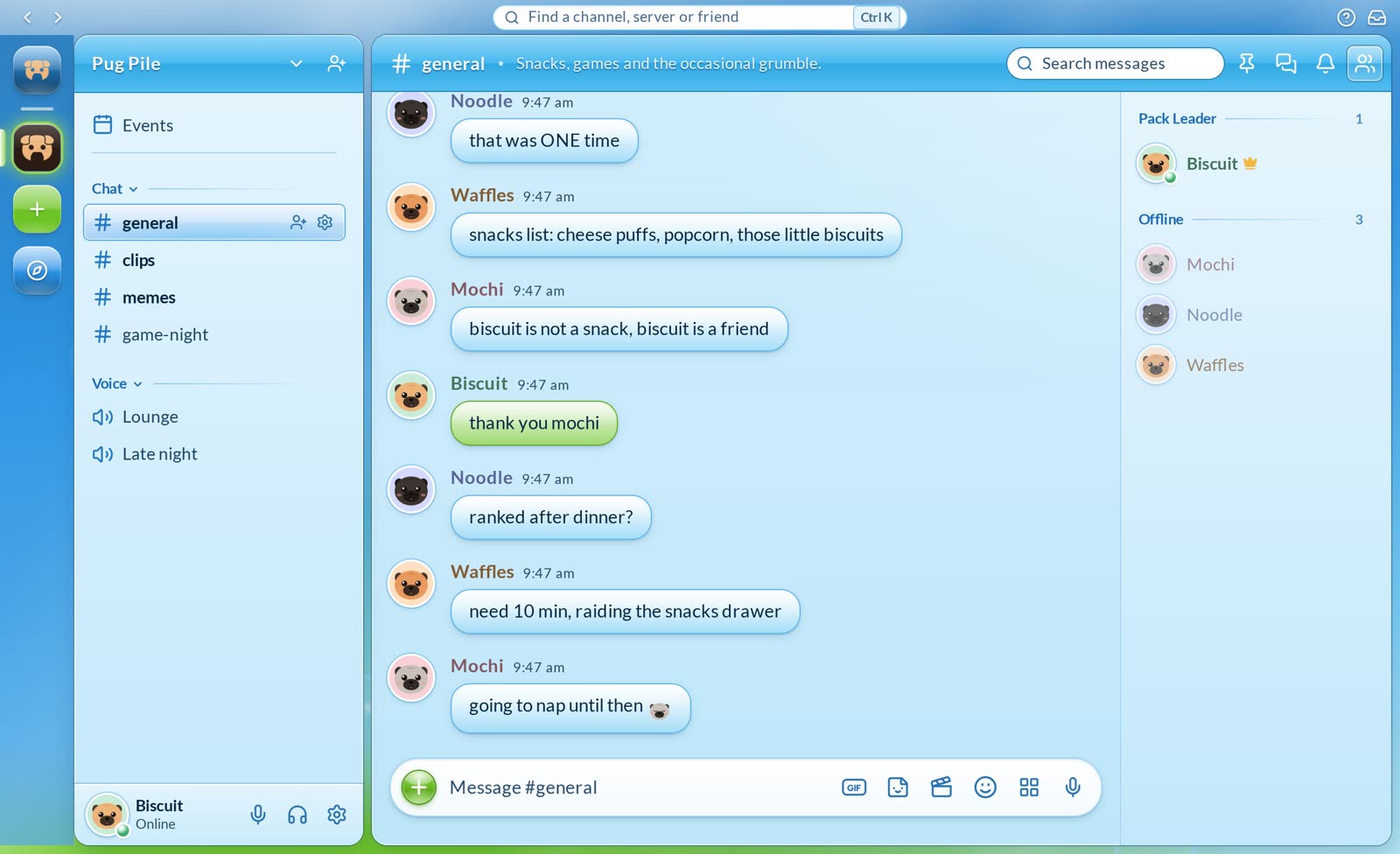
Glossy panes set in a shiny frame, messages in speech bubbles, and a sky drifting behind it all.
It's always in its own aqua and lime, whatever theme you have on.
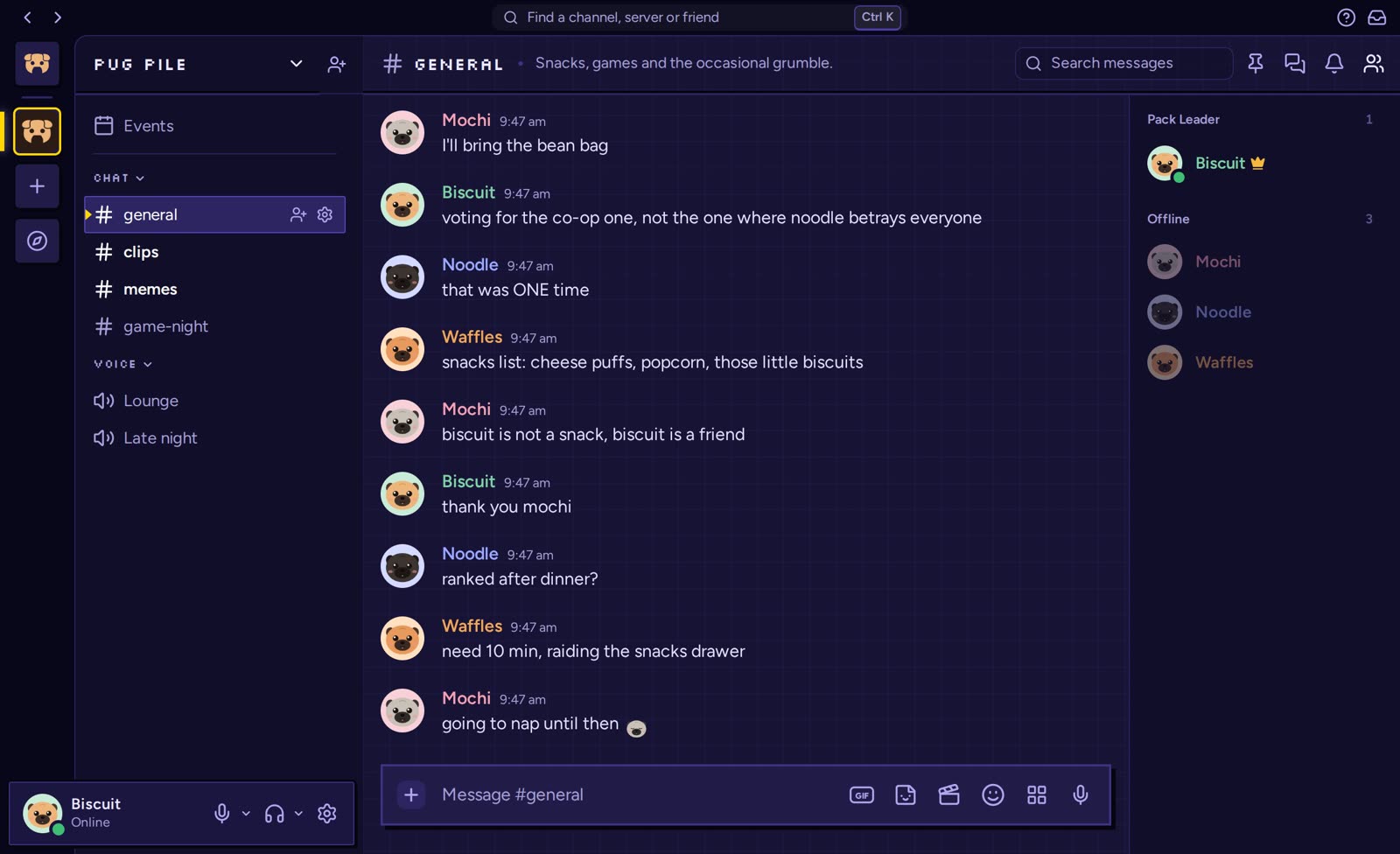
Square corners, hard pixel shadows, titles in pixels and a coin-yellow cursor on what's picked, in deep indigo and neon pink.
Buttons press in like an old machine's, and messages stay easy to read.
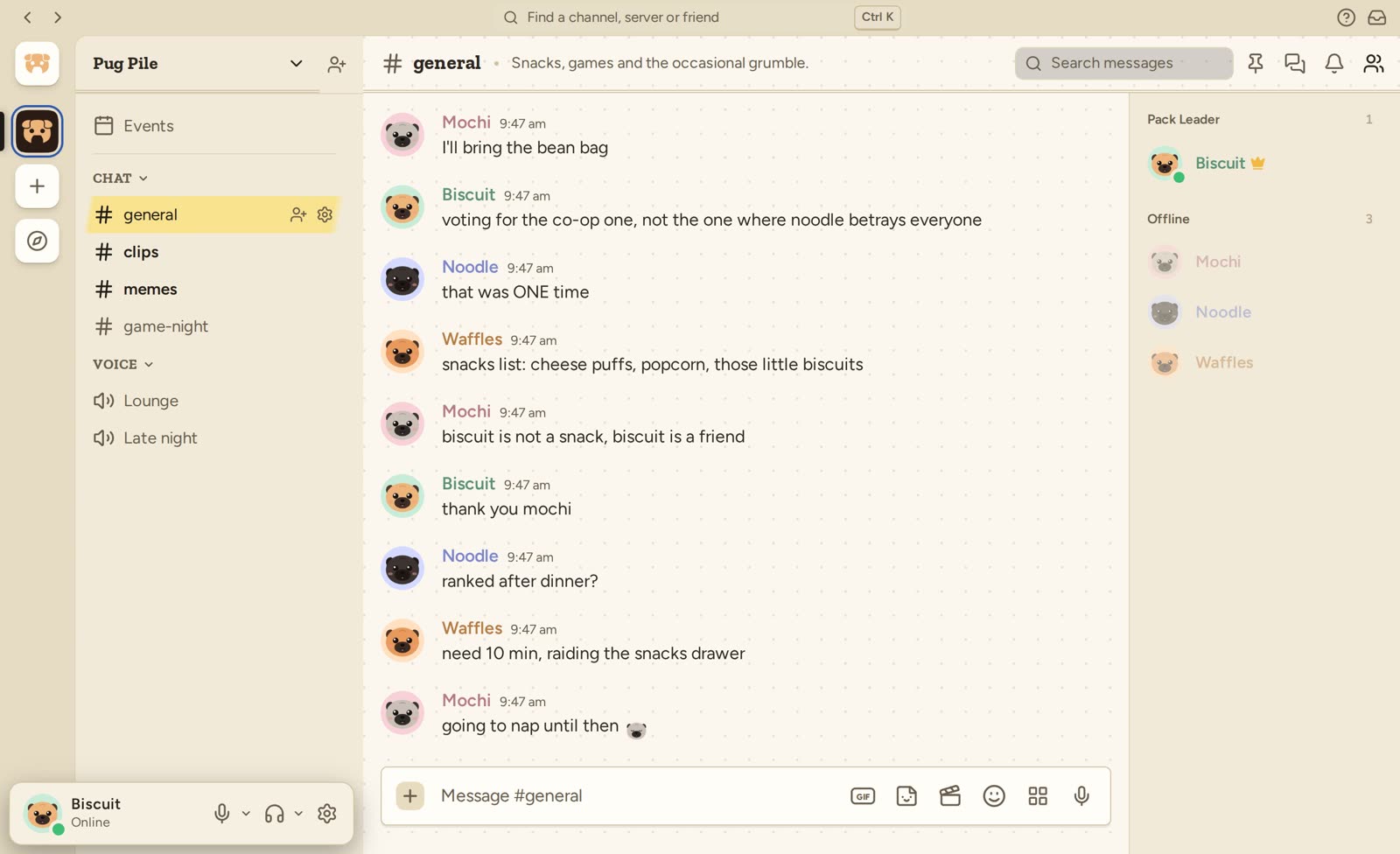
Warm paper, a dotted page behind the chat, titles in a bookish slab and a highlighter's stroke on what's picked.
Paper and ink blue, for when you'd rather your chat felt like your notes.
What a skin changes
Panels, buttons, titles, the chat's background and the way things are picked.
Decorations, name styles and nameplates stay as their makers made them.
Messages stay in Grumble's own typeface, whatever the skin.
Your skin is kept with your account, so each device opens in it.
Grumble's own skin takes your theme's colours. A skin with colours of its own keeps them.
Every skin is free, with nothing to buy and nothing to unlock.
How to
Press the cog beside your name.
Go to Skins and choose one. The app changes as you pick.
Choose Grumble to go back to the usual look.